Prompt Keeper version 1.1.0 is now live and ready for downloading.
This release is packed with quality of life updates and some aesthetics to help make using the app an even more enjoyable experience.
Here’s what’s new in v1.1.0
Preferences window (Cmd/Ctrl+,) — theme and default tool settings
Dark mode — Light, Dark, or Match System theme
Prompt tabs — work on multiple prompts simultaneously (Cmd/Ctrl+T)
Tool detail field — add model/variant info (e.g. "Veo-3")
Compact mode — hide the browser for local app workflows
Smart URL bar — handles partial URLs and search queries
Keep prompt toggle — keep text after logging for quick iterations
Animated feedback — visual confirmation when prompts are logged
Visual overhaul — new accent color, polished tabs, depth and shadows
Updated tool list — added Artlist, ComfyUI, Gemini, Higgsfield, LumaLabs, OpenArt, Veo
And a huge thank you to all the beta testers who took the time to try the app and provide such excellent feedback.
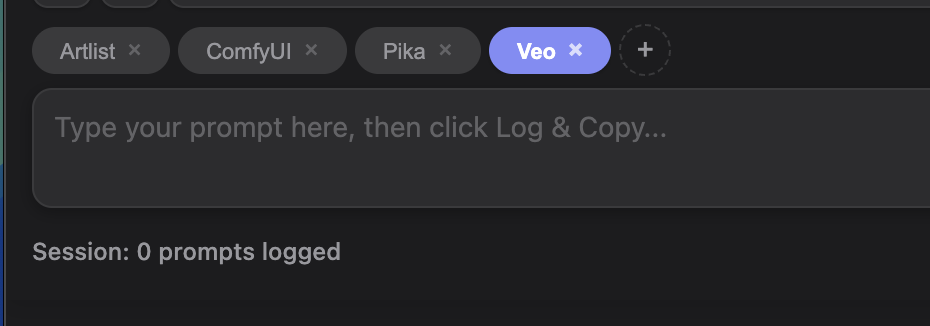
New Tabs feature
Use the + button to add a new tab to your session or use the keyboard shortcut cmd+t (Mac) or ctrl+t (Win).
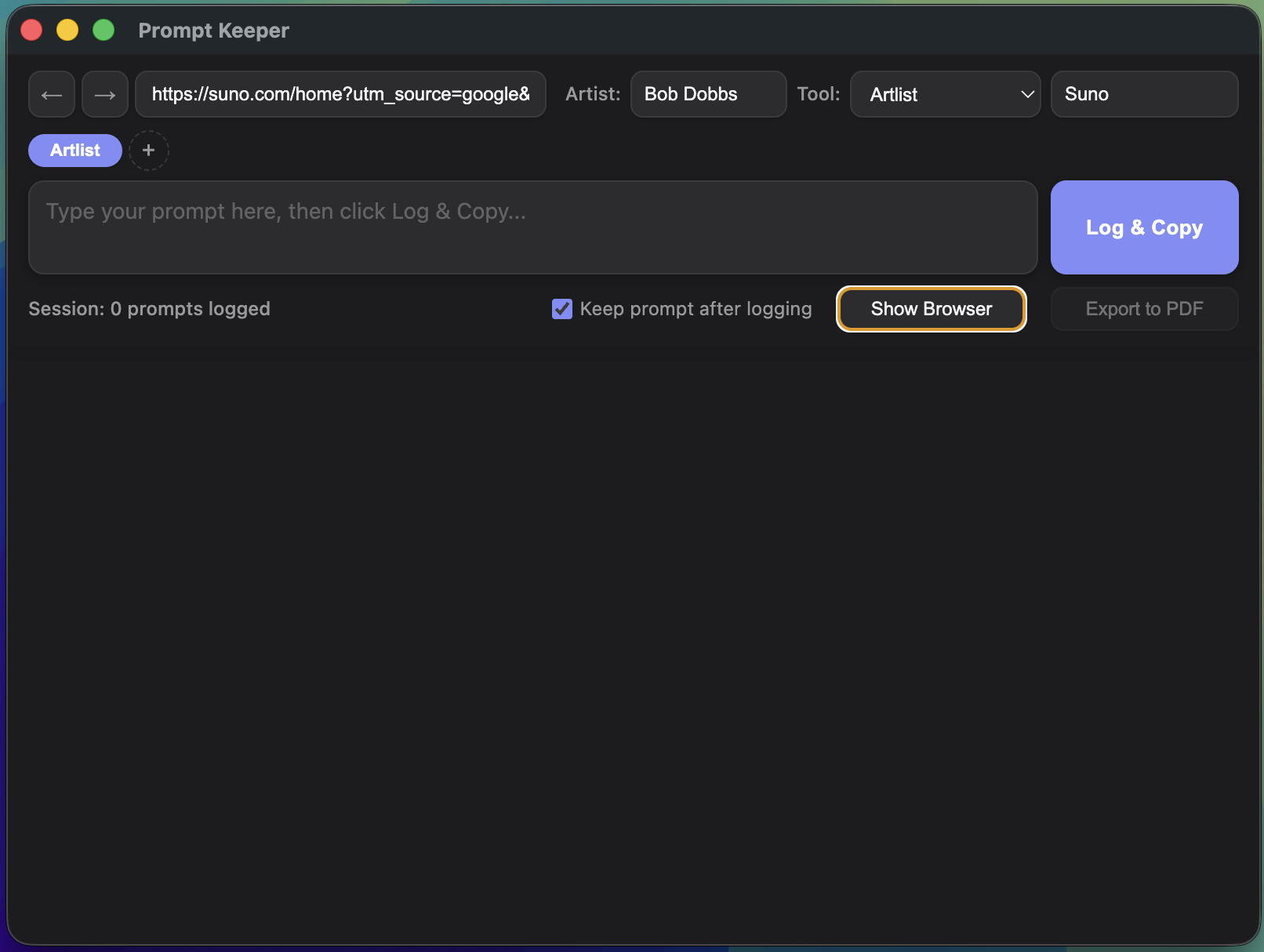
Hide the browser
Working with a dedicated AI app on your computer? No problem! You can now hide Prompt Keeper’s browser and reduce the window size to sit side-by-side with your app.
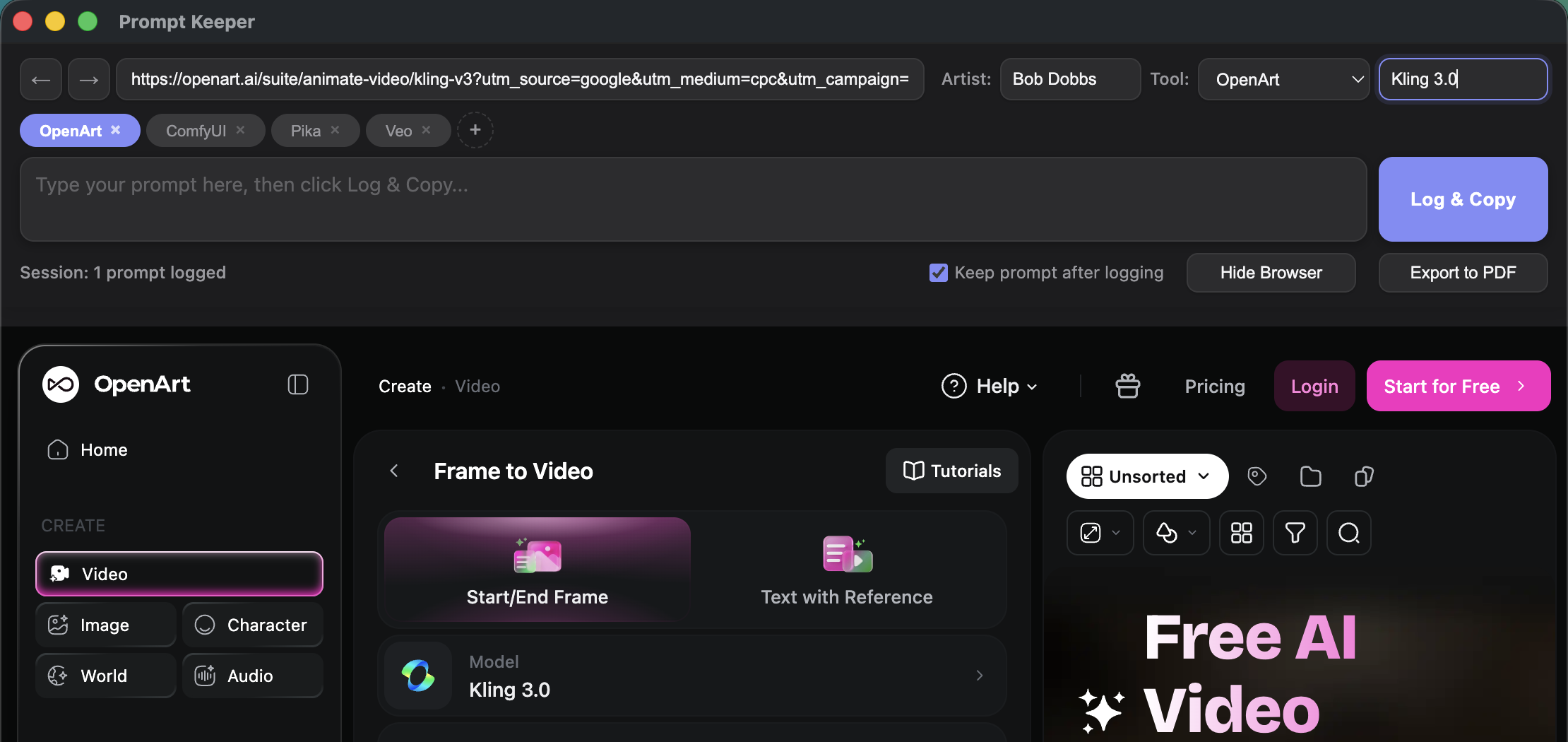
New Feature: Detailed Tools panel
Working in an aggregator? Want to specify a specific model that you’re using? Now you can and Prompt Keeper will add this additional tool to your prompt log when you export.
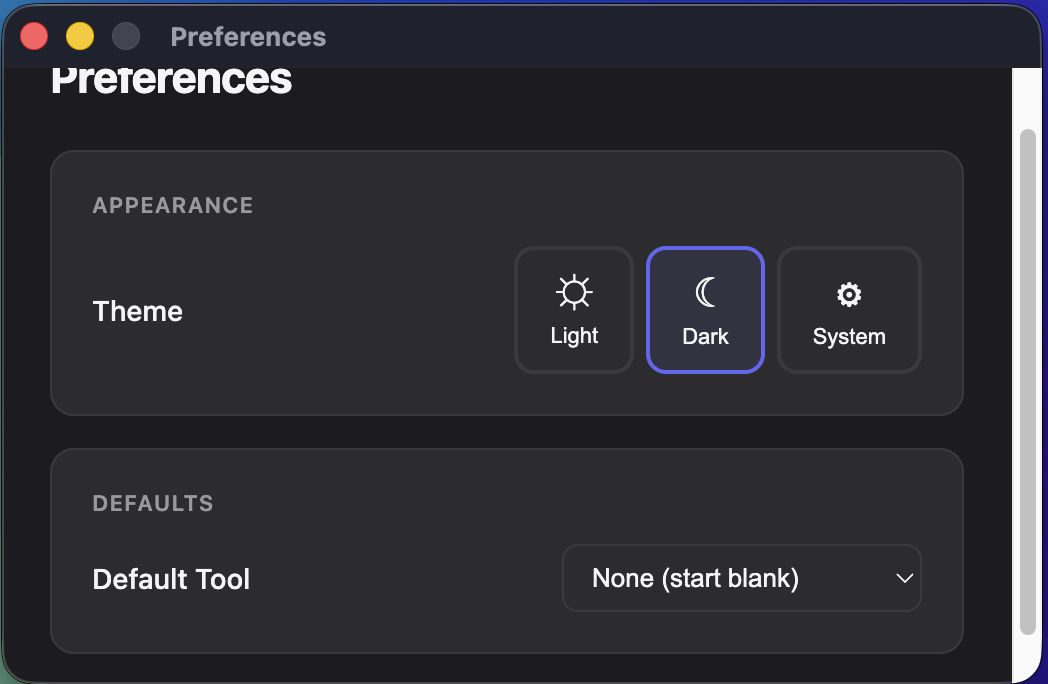
New Preferences Pane
Prompt Keeper now let’s you set your theme and your default tool. More preferences and customizations coming soon! You can access the preferences by typing cmd+, (Mac) or ctrl+, (Win).